



ONLYOFFICE Document Server, an online office app for Nextcloud and ownCloud


ONLYOFFICE Document Server is a free collaborative online office suite including viewers and editors for texts, spreadsheets and presentations, fully compatible with Office Open XML formats (.docx, .xlsx, .pptx). This article provides you the overview of ONLYOFFICE Document Server, its features, installation and integration with Nextcloud and ownCloud.
ONLYOFFICE Document Editor
ONLYOFFICE Spreadsheet Editor

ONLYOFFICE Presentation Editor
Technology
ONLYOFFICE Document Server is written in JavaScript using the HTML5 Canvas element, the server-side code is running on Node.js. The Canvas element ensures that a processed file keeps the same style, paragraphs, symbol and line spacing etc. while displaying in any modern browser on any OS as well as while importing or printing.
The source code is available on GitHub under the GNU AGPL v3 license.
Supported Formats
ONLYOFFICE uses Office Open XML as a core format that guarantees the perfect compatibility with Microsoft Office formats (DOCX, XLSX, PPTX). Other types of supported formats (ODT, DOC, RTF, EPUB, MHT, HTML, HTM, ODS, XLS, CSV, ODP, PPT) are processed with inner conversion to DOCX, XLSX or PPTX.
Document Collaboration
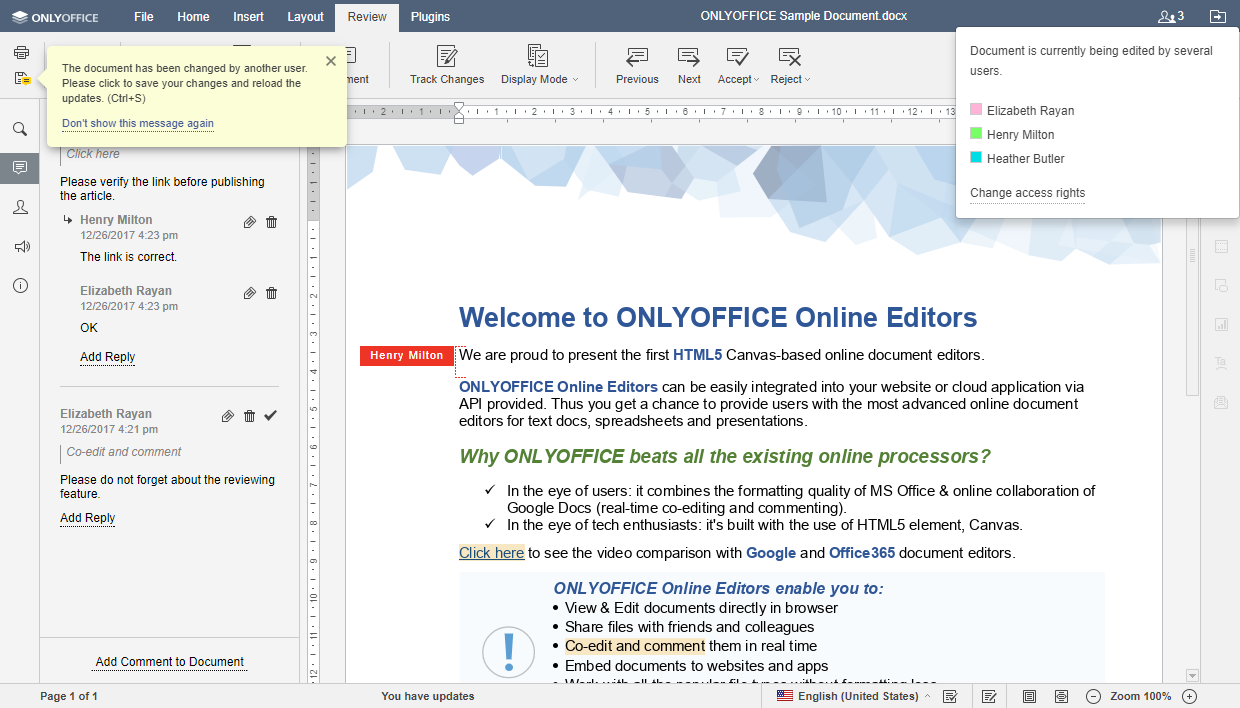
ONLYOFFICE Document Server offers a wide range of document collaboration capabilities. There are two modes for real-time co-editing:
Fast (like in Google Docs). In this case when you make an edit, the changes automatically appear on your co-author screens. The name next to the cursor indicates who is typing. This mode is enabled by default.
Strict is the ONLYOFFICE classic mode, when the changes appear as soon as one of the users saves his/her changes.
Besides, ONLYOFFICE Document Server provides users with review and tracking changes, comments and built-in live chat. The version history is also available allowing users to see the co-authors and the changes they made.
Plugins and Macros
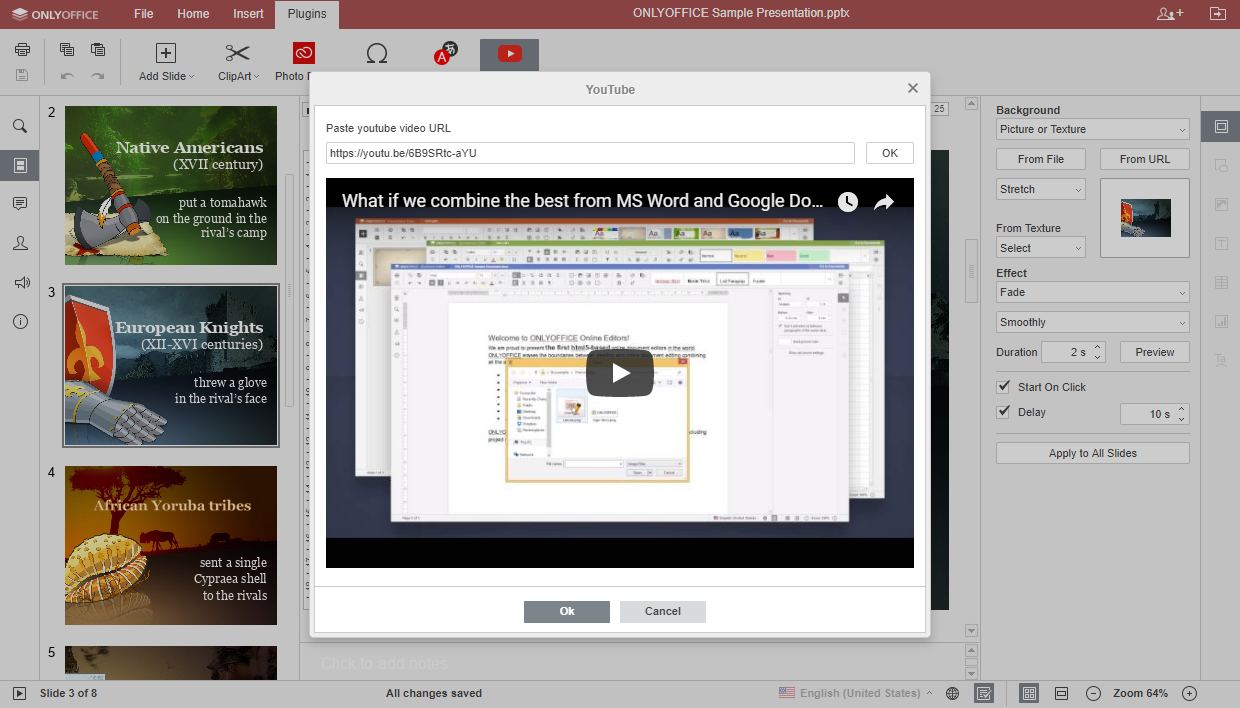
The ONLYOFFICE Document Server functionality can be extended with plugins. Currently, using integrated plugins users can add a video from YouTube, insert ClipArts, recognize text from screenshots/pictures, edit images with a basic Photo Editor, insert special symbols from Symbol Table, translate any text passage with Yandex.Translator and standardize documents with Macros.
It's also possible to create new plugins using the official ONLYOFFICE API.
Integrations
ONLYOFFICE Document Server can be used with the ONLYOFFICE collaborative system (Community and Mail Servers). In this case users also get a set of productivity tools: CRM system, projects, calendar, chat, blogs and forums, bookmarks, wiki, and more.
Or it can be installed standalone and integrated with Nextcloud or ownCloud using official ONLYOFFICE connectors. The integration apps are also available for SharePoint, Alfresco and Confluence.
Several applications offer access to ONLYOFFICE online editors using ONLYOFFICE API: Seafile, eXo Platform, CommuniGate, PowerFolder, etc.
These integrations allow extending the cloud service functionality by giving their users possibility to work with texts, spreadsheets, and presentations online without leaving their favorite cloud platforms.
Installation
ONLYOFFICE offers different ways to install Document Server on user's server.
Source code compilation
The ONLYOFFICE Document Server source code is available on GitHub. It comprises the following components:
- server is the backend server software layer;
- core enables the conversion between the most popular office document formats;
- JavaScript SDK contains API;
- web-apps is the frontend which builds the program interface;
- dictionaries of various languages used for spell checking;
- sdkjs-plugins to add specific features to the editors.
The documentation on how to compile the source code is also available on GitHub.
Binaries
ONLYOFFICE Document Server is available as .exe., .deb and .rpm packages. Users can download them from the website or install from the official repositories (for Linux). The instructions on how to do it are available in the ONLYOFFICE Help Center.
Docker image
The simplest way to install ONLYOFFICE Document Server on Linux is to use Docker. The official Docker image allows users to deploy document editors with one single command:
sudo docker run -i -t -d -p 80:80 \
-v /app/onlyoffice/DocumentServer/logs:/var/log/onlyoffice \
-v /app/onlyoffice/DocumentServer/data:/var/www/onlyoffice/Data \
-v /app/onlyoffice/DocumentServer/lib:/var/lib/onlyoffice \
-v /app/onlyoffice/DocumentServer/db:/var/lib/postgresql onlyoffice/documentserver
And connect it to Nextcloud or ownCloud downloading the official ONLYOFFICE connector from GitHub:
cd apps/
git clone https://github.com/ONLYOFFICE/onlyoffice-owncloud.git onlyoffice
and configuring it with some easy steps:
- Access Nextcloud, open the Not enabled apps page and click the Enable button for the ONLYOFFICE application.
- Open the Nextcloud Admin settings, go to the ONLYOFFICE section and enter the address of the server with ONLYOFFICE Document Server installed: https://<documentserver>
Docker-Compose
ONLYOFFICE provides users with a Docker Compose that allows installing ONLYOFFICE Document Server integrated with Nextcloud or ownCloud at once. The detailed instructions are available on GitHub.
Univention App Center
ONLYOFFICE Document Server is available in the marketplace in Univention Corporate Server (UCS) and can be integrated with Nextcloud or ownCloud.
Virtual Machine
Finally users can install Nextcloud integrated with ONLYOFFICE Document Server using pre-configured virtual machine available on the Nextcloud official partner's website - techandme.
Besides, Linkat edu 14.04, an educational GNU/Linux distribution, offers its users the linkat-onlyoffice package that installs the ONLYOFFICE office suite and automatically integrates it with the ownCloud file manager.
Reference:
https://github.com/ONLYOFFICE/DocumentServer